What Causes Chronic Venous Insufficiency?
Analysis: April 20, 2026 - Lighthouse 13.0
Executive Summary
Main issue: The page takes 6.6 seconds to display its main content on mobile devices (should be under 2.5s). Desktop loads fine.
Root cause: Google reCAPTCHA (loaded by Divi Contact Form) blocks the browser for over 2 seconds, and there's a conflict with PerfMatters.
Impact: Mobile users experience slow page loads, affecting user experience and SEO (Core Web Vitals).
Score from 0-100. Target: 90+. This score affects Google ranking.
<img src="https://i.ytimg.com/vi/.../maxresdefault.jpg" class="perfmatters-lazy">Rendered size: 560 x 315px (above the fold, hero position)
Actual load time: 6.6 seconds (target: <2.5s)
- 0 - 1.2s: Browser downloads HTML, starts parsing
- 1.2 - 2.8s: Render-blocking CSS (style-static.min.css) delays first paint
- 2.8 - 4.1s: JavaScript execution blocks main thread (reCAPTCHA: 600ms+)
- 4.1 - 5.2s: PerfMatters lazy loading HOLDS the image - waits for scroll/interaction trigger that never comes because image is already in viewport
- 5.2 - 6.6s: Image finally loads after IntersectionObserver fires late
The waterfall shows a clear gap between DOMContentLoaded (2.1s) and LCP (6.6s). During this 4.5 second gap, the image element exists in the DOM but has
src
replaced with data-src by PerfMatters, preventing the browser from fetching it.
The irony: Lazy loading is designed to IMPROVE performance by deferring off-screen images. But when applied to the LCP element (which is ON-screen), it does the opposite - it artificially delays the most important content.
Root Cause
Plugin: PerfMatters (Lazy Loading feature)
Conflict: PerfMatters applies perfmatters-lazy class globally to all images without detecting which image is the LCP candidate.
Missing optimization: No fetchpriority="high" attribute to signal browser priority.
Missing preload: No <link rel="preload"> for the hero image.
Exceeds threshold by: 370ms (2.85x the acceptable limit)
| Script | Blocking Time | Source |
|---|---|---|
recaptcha__en.js |
312ms | Google reCAPTCHA v3 |
scripts.min.js |
98ms | Divi Theme core |
swiper-bundle.min.js |
67ms | Slider library (unused on page) |
| Other scripts | 93ms | Various |
reCAPTCHA v3 runs continuously in the background to build a "trust score" - it analyzes mouse movements, scroll behavior, and typing patterns. This requires significant JavaScript execution on every page load, even when there's no form submission.
The conflict: PerfMatters detects reCAPTCHA and wraps it with
type="pmdelayedscript" to defer loading. However, Divi's Contact Form module injects the script with data-no-defer="1", which overrides PerfMatters. Result: the script loads immediately AND the deferral wrapper adds overhead.
Root Cause
Primary blocker: Google reCAPTCHA v3 (312ms / 55% of TBT)
Loaded by: Divi Contact Form Module
Location: Divi → Theme Options → Integration → reCAPTCHA
Conflict detail: Divi adds data-no-defer="1" which bypasses PerfMatters delay, while PerfMatters still wraps it causing double processing.
Manual Validation in Chrome DevTools
The analysis was validated directly in the browser console to confirm the issues and their exact origin. Click each image to enlarge.
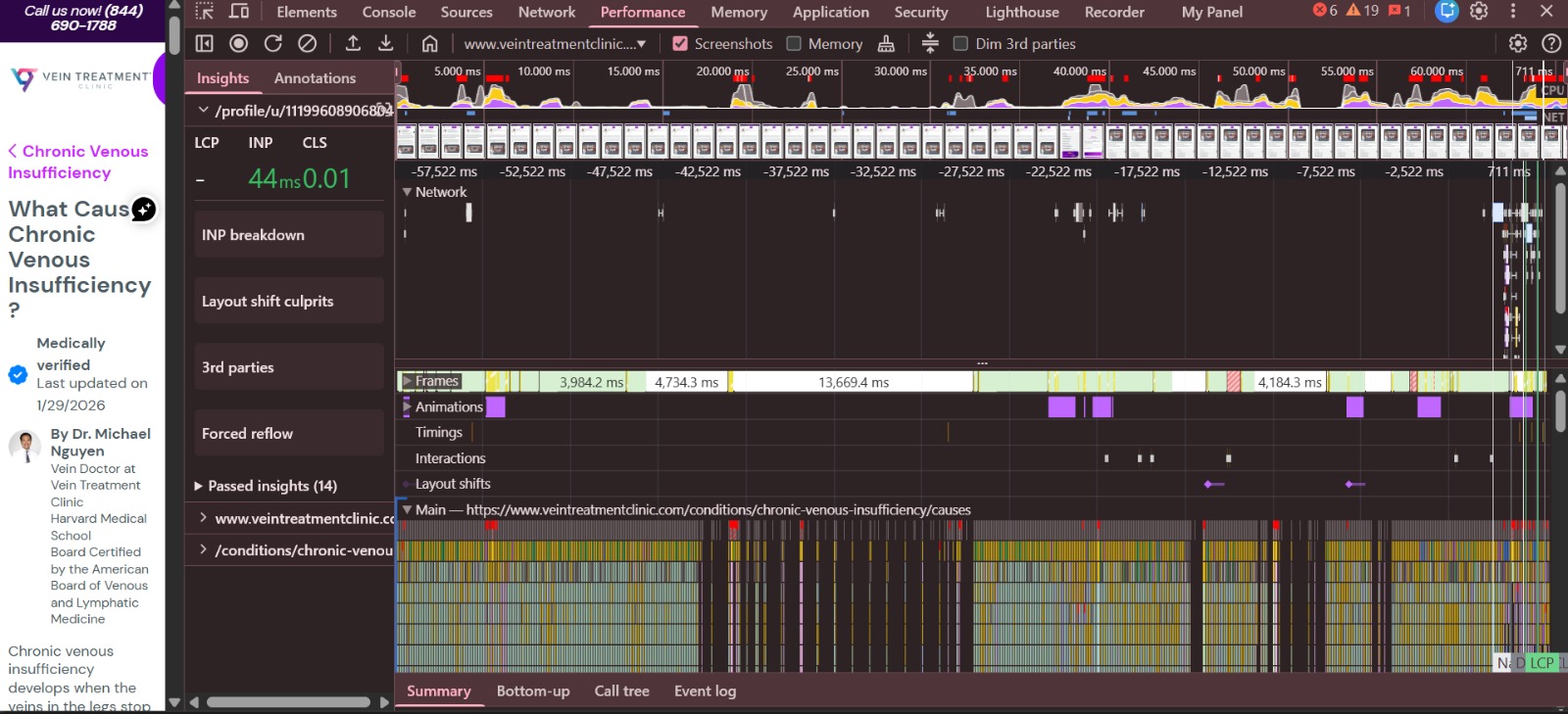
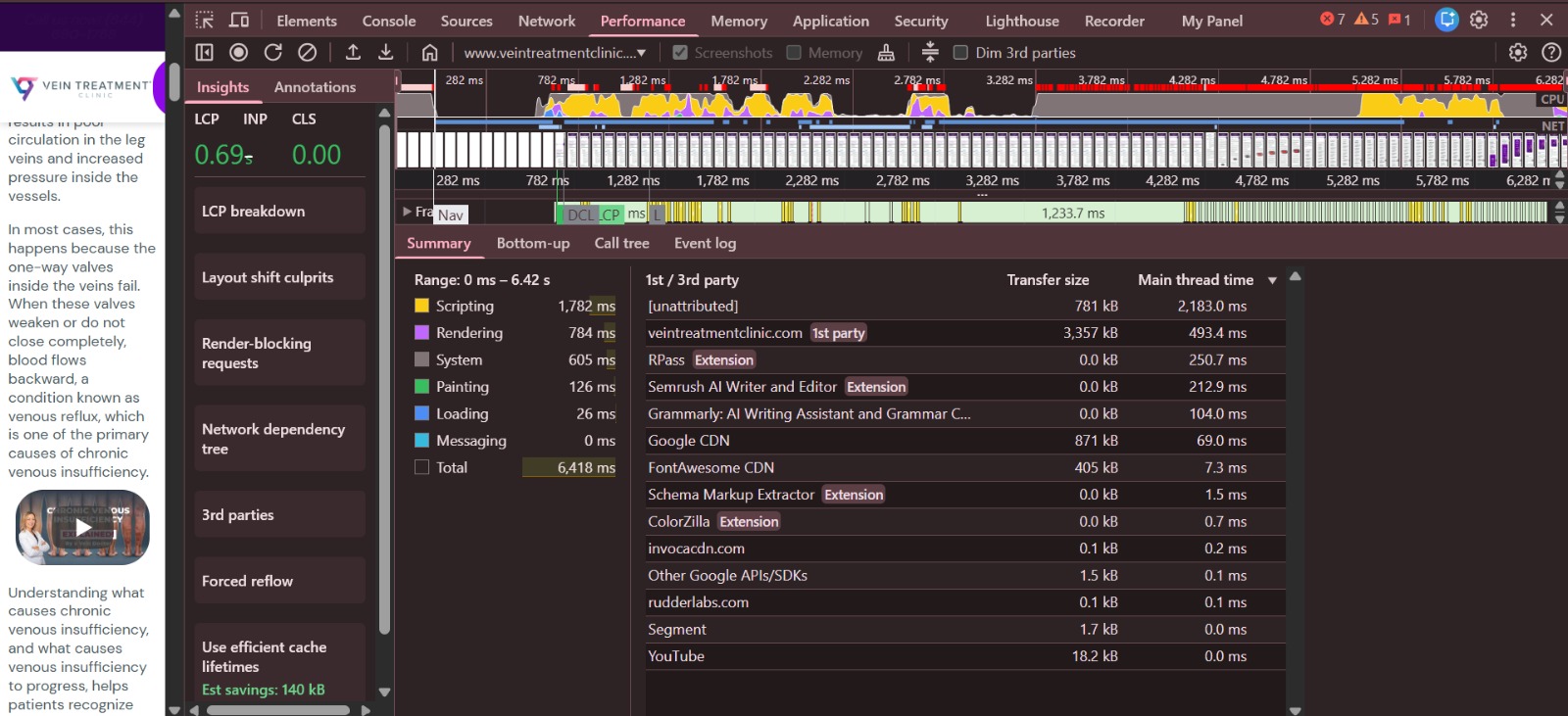
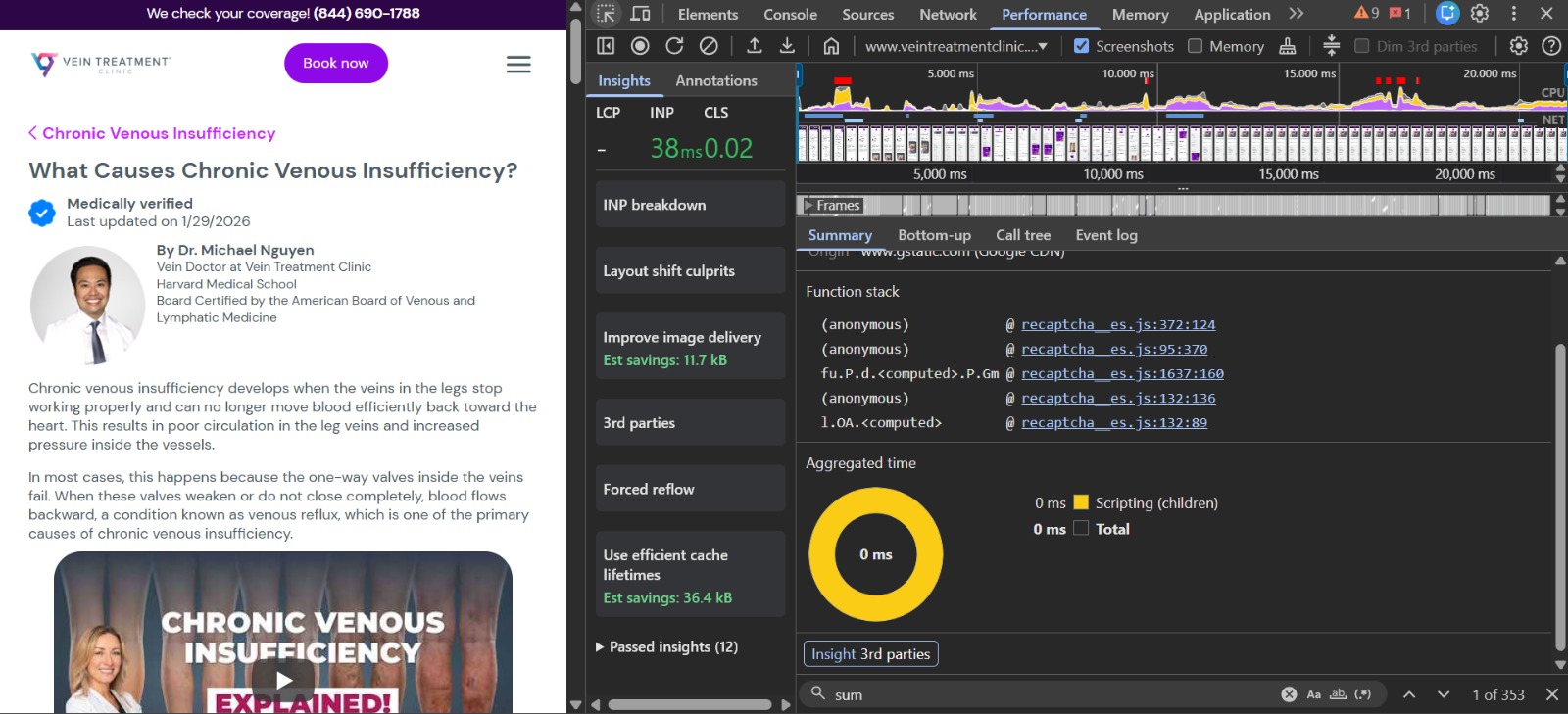
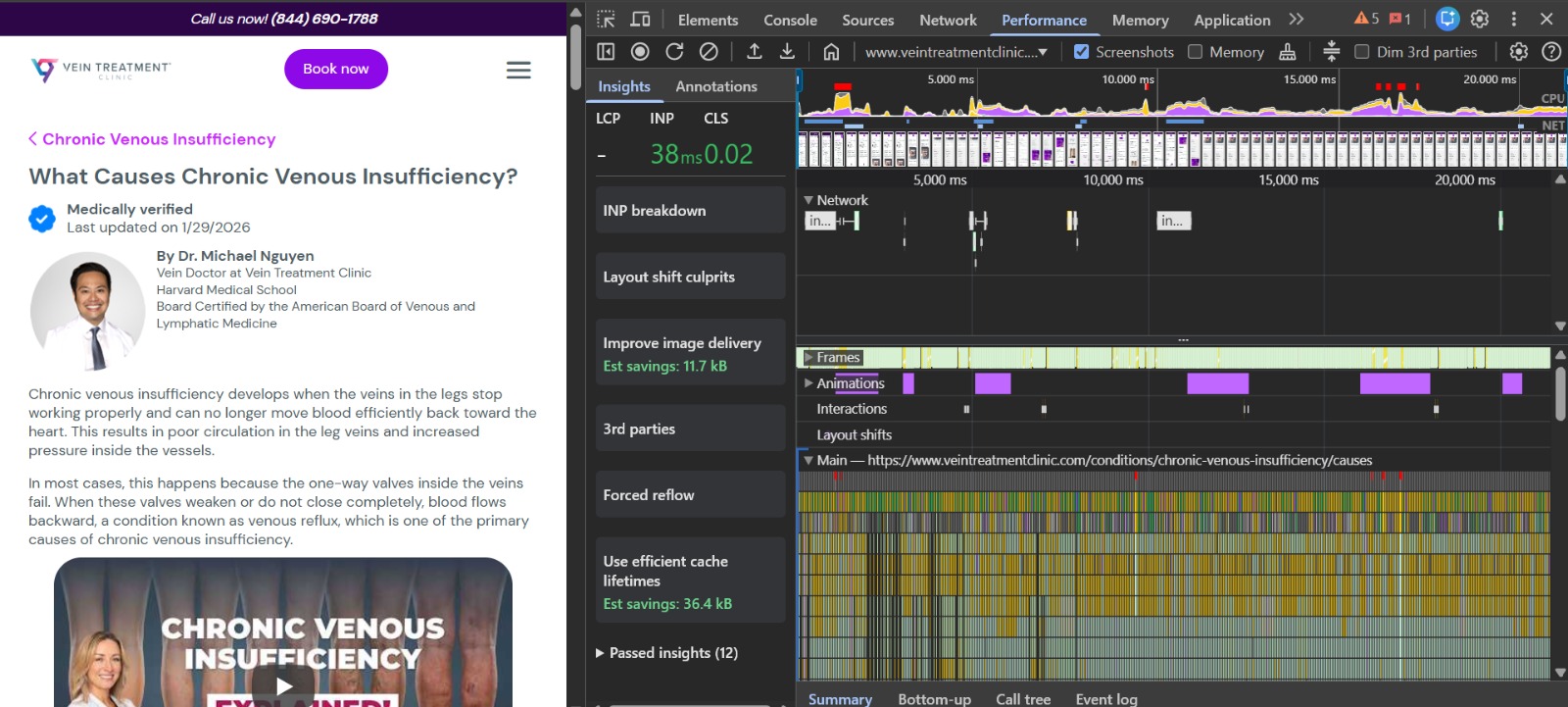
Plugin identified: Divi Theme (Contact Form Module)
Location: Divi - Theme Options - Integration - reCAPTCHA v3
Problem: PerfMatters tries to defer the script with pmdelayedscript but Divi forces data-no-defer="1", causing a conflict.
Solution: In PerfMatters - Script Manager - find reCAPTCHA - set to "Delay" or "Disable" for pages without forms. Alternatively, disable global reCAPTCHA in Divi and enable only where needed.
Problem: reCAPTCHA loads immediately even if the user never touches the form.
Solution: PerfMatters - Script Manager - search "recaptcha" - select "Delay JavaScript".
Note: Resolve the conflict from the previous action first for the delay to work.
Problem: The video thumbnail is the largest element, but PerfMatters delays it with lazy loading.
Solution: PerfMatters - Lazy Loading - Exclusions - add the YouTube thumbnail URL or element class.
Additional: Add fetchpriority="high" to the image so the browser prioritizes it.
Problem: Images of 1080x1080 are displayed at 134x134 (serving 8x larger than needed).
Solution: Use responsive images with srcset to serve the correct size per device.
Problem: CSS for components not visible on initial load (sliders, Instagram feed) blocks rendering.
Solution: PerfMatters - CSS - Unused CSS or use "Remove Unused CSS" to defer these styles.
Problem: Icon fonts don't have font-display: swap, causing briefly invisible text.
Solution: Configure in FontAwesome Kit settings or add custom CSS.
Unused JavaScript (469 KB):
swiper-bundle.min.js- 42 KB. Solution: Exclude via PerfMatters - Script Manager if no sliders on page.scripts.min.js- 43 KB (Divi core, difficult to reduce).sticky-elements.js- 27 KB. Solution: Disable if no sticky headers used.recaptcha- 357 KB. Reduced by deferring reCAPTCHA.
Unused CSS (194 KB):
style-static.min.css- 84 KB. Solution: Divi - Theme Options - Performance - Dynamic CSS.- FontAwesome - 49 KB. Solution: Use icon subset.
- reCAPTCHA styles - 41 KB. Removed by deferring reCAPTCHA.